FlexiSpot Review: What to Know Before Buying an E7 Standing Desk or C7 Chair for Home
Shopping for a standing desk can feel oddly harder than buying a sofa. A sofa has one job: sit on it and see whether it fits the room. A motorized desk has more hidden variables: frame stability, height range, lifting capacity, controller logic, cable routing, desktop size, surface material, warranty language, and whether the chair beside it actually helps your posture.
This FlexiSpot review looks at the brand from that practical home office angle. We do not claim first-hand testing for this article. We reviewed FlexiSpot official pages and manuals on May 14, 2026, then cross-checked them against independent reviews from TechRadar, Tom's Guide, PCGamesN, Tech Advisor, and T3. Our review standards are explained in our editorial policy, and our site model is covered on the about page.
FlexiSpot review: the short verdict
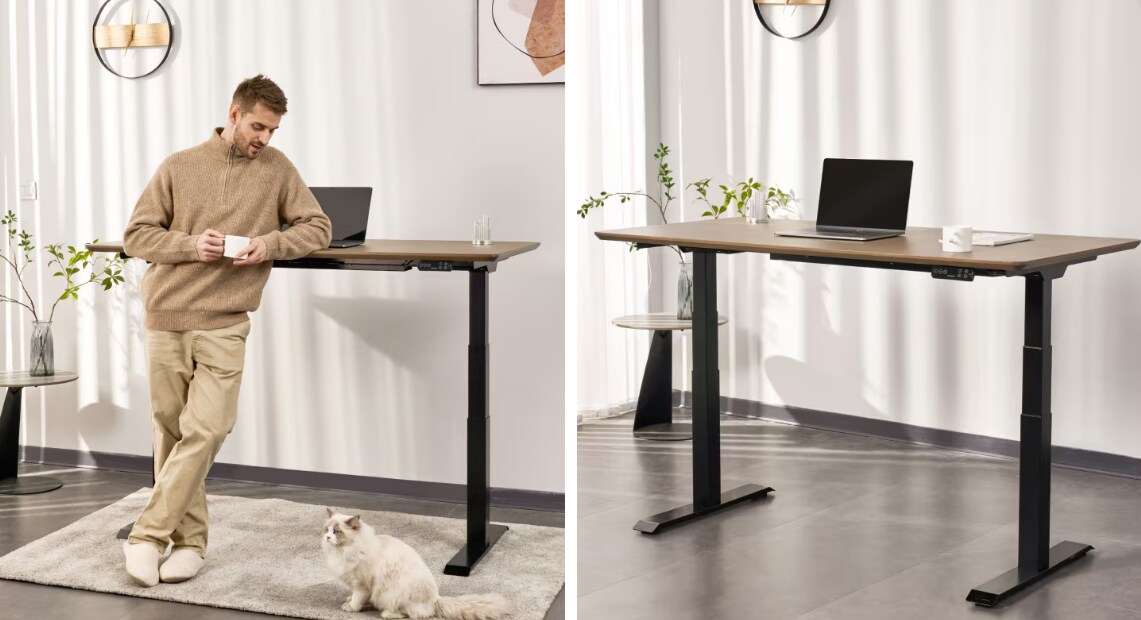
FlexiSpot is strongest when you want an adjustable home office setup that feels more serious than a budget marketplace desk but less expensive than many boutique ergonomic brands. The E7 family is the clearest reason to consider the brand. FlexiSpot's E7 Pro manual lists a 25 to 50.6 inch adjustable height range and a 440 lb maximum static load for E7 Pro, while the same manual states 15 years of coverage for E7 series metal, mechanical, motor, and electrical components.
That does not mean every FlexiSpot product is an automatic buy. The common trade-offs are weight, assembly, a large configuration menu, and chair models that can feel complex if you prefer simple adjustments. Prices also move often. On the FlexiSpot homepage snapshot reviewed May 14, 2026, the best-seller area listed E7 Pro at $399.99 sale price, E7 at $299.99, E7 Plus at $499.99, and C7 at $299.99. Treat those as page-snapshot signals, not permanent prices.
| FlexiSpot product | Strong fit | Main caution |
|---|---|---|
| E7 Pro standing desk | Most serious home offices with monitors, arms, and daily sit-stand use | Heavy parts and many choices |
| E7 standing desk | Lower-cost electric desk setups with lighter loads | Less compelling if you want the strongest frame story |
| E7 Plus four-leg desk | Very heavy setups, wide desktops, multi-monitor workstations | More complex assembly and a higher total price |
| C7 ergonomic chair | Buyers who want adjustable support at a sale price | Chair comfort is personal, and more controls can mean more fiddling |
What FlexiSpot is actually selling
FlexiSpot started as an ergonomics and sit-stand furniture brand, but the current catalog is broader than desks. The US site now presents standing desks, ergonomic chairs, recliners, beds, mattresses, office accessories, and under-desk walking products. For a home-living buyer, the desk and chair categories are still the core reason to care.
The brand's value proposition is not handmade furniture. It is configurable ergonomic furniture sold direct, often with aggressive discounts and many size, frame, and surface options. That is useful if you know your room dimensions and equipment weight. It can be frustrating if you want one obvious model and one obvious finish.
This matters for small apartments and multi-use rooms. A standing desk has to fit the room visually, leave clearance for a chair, and still handle cables. If your office is part of a bedroom or living room, pair the desk decision with storage planning. Our kitchen organizers guide is about kitchen storage, but the same rule applies here: if everyday tools do not have a home, the room gets messy quickly.
E7 Pro: the FlexiSpot desk most buyers should compare first
The E7 Pro is the model that makes FlexiSpot easiest to recommend for a serious home office. The official manual gives the key numbers: 25 to 50.6 inches of frame height adjustment, 43.3 to 74.8 inches of adjustable width, and 440 lb maximum static load. TechRadar's E7 Pro review found the desk strong on stability, quiet movement, controller design, and height range, while naming premium price and weight as the main downsides.
PCGamesN's E7 Pro review reached a similar practical conclusion: smooth height movement, sturdy tabletop feel, and enough support for heavy gaming or work setups, with the caution that parts are heavy and cable management still takes effort. T3's 2026 E7 Pro review also emphasized solid construction and a clean home-office look, but noted initial maneuvering and setup time.
The buying logic is simple. Choose E7 Pro if the desk will carry a monitor arm, desktop speakers, docking stations, camera gear, or a heavy desktop PC. It is also a better fit if more than one person will use the desk, because the height range gives more room to tune sitting and standing positions.
Skip or wait if you only need a laptop table, dislike furniture assembly, or cannot handle heavy boxes. A strong frame is only useful if you can get it built cleanly.
E7: the lower-cost path in the same family
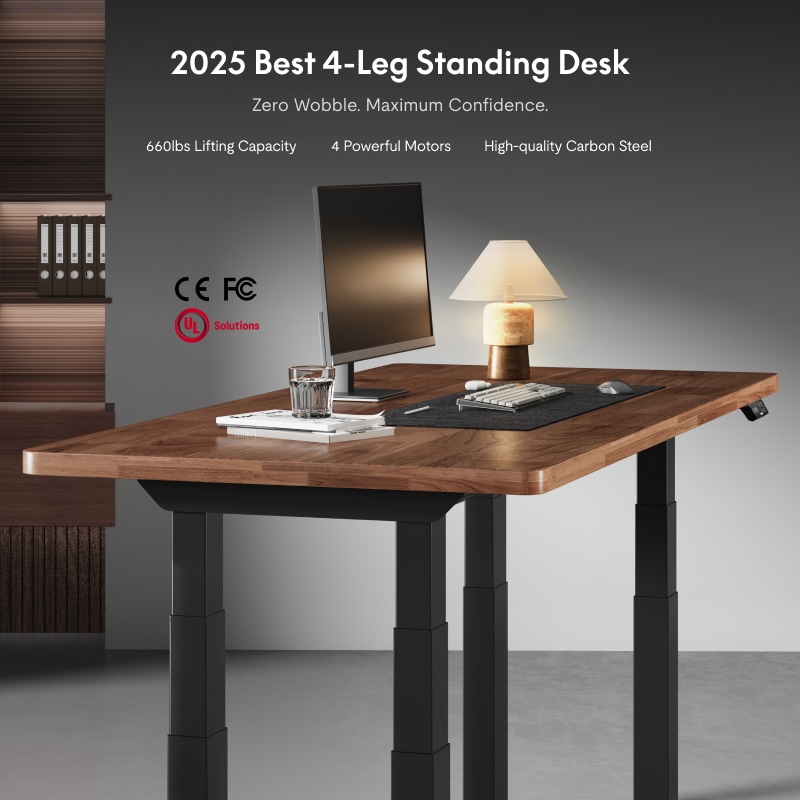
The standard E7 is the model to consider if you like the FlexiSpot ecosystem but do not need the Pro frame. FlexiSpot's current US product page labels it Premium Standing Desk E7, and the homepage snapshot reviewed for this article listed it below E7 Pro in price.
The main distinction is capacity and positioning. FlexiSpot's own E7 Pro versus Uplift V2 comparison says the older E7 supports up to 355 lb, while E7 Pro supports up to 440 lb and adds more stability-oriented design details. Because that page is brand-authored, we treat it as a useful spec and positioning source, not neutral proof that FlexiSpot beats every rival.
For most laptop users, students, and lighter dual-monitor setups, E7 may be enough. The stronger reason to move up to E7 Pro is not status. It is margin: more load headroom, stronger third-party review coverage, and a frame story that better matches heavy daily use.
E7 Plus: for unusually heavy or wide workstations
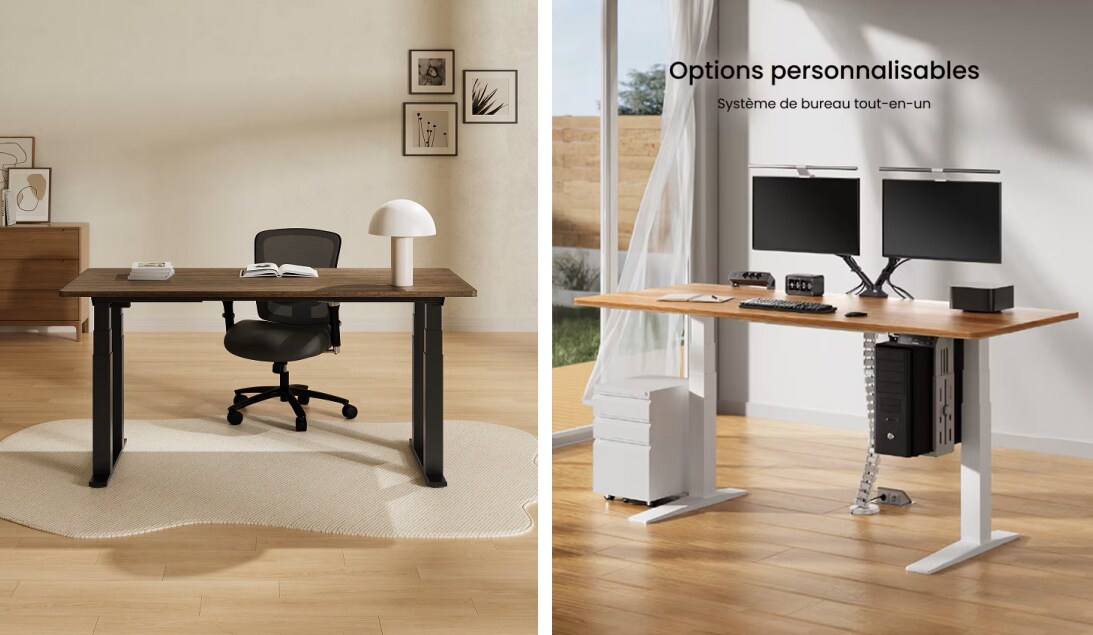
E7 Plus is the four-leg option for buyers who care most about load and stability. Tom's Guide reviewed the E7 Plus and described it as a heavy-duty four-leg standing desk with a sturdy frame, 3-stage legs, and a strong fit for both shorter and taller users. The same review lists 440 lb supported weight while lifting, 540 lb static load capacity, and a 26 to 51.6 inch range for the tall frame.
That is overkill for many homes. It starts to make sense when your setup includes a super ultrawide monitor, multiple arms, desktop hardware, audio equipment, or a very wide tabletop. Tom's Guide also notes the downside: more complex assembly and a dual-motor design rather than one motor per leg.
If you are choosing between E7 Pro and E7 Plus, start with the load and desktop size, not the model hierarchy. E7 Pro is the cleaner default. E7 Plus is the specialist choice for people who know they need the extra footprint and stability.
C7 and C7 Morpher: good chair logic, but fit matters more

FlexiSpot chairs are harder to judge from specs alone because bodies vary more than monitor setups. The official C7 article says the C7 has a 20.5 x 20 inch seat, mesh or foam seat options, adjustable seat depth, 90 to 128 degree recline, movable lumbar support, 3D armrests, adjustable headrest, 360 degree swivel, and up to 300 lb support.
That is a sensible feature list for a midrange ergonomic chair. Still, a chair with many controls can be annoying if you never tune them. TechRadar's 2026 C7 Morpher review praised its adjustability and durable materials, but also flagged price, a protruding folding leg rest, loud armrest mechanisms, and many dials to remember.
So the chair recommendation is narrower than the desk recommendation. Buy C7 if you want adjustable lumbar, seat depth, armrests, and head support at a sale price. Be cautious with higher-end C7 variants if you want a chair that disappears into the background. More adjustment can mean better fit, but it can also mean more setup friction.
Quality, warranty, and assembly expectations
FlexiSpot's strongest quality signal is the E7 family warranty language in the E7 Pro manual. A 15-year statement for E7 series metal, mechanical, motor, and electrical components is a meaningful support promise if it applies to the exact configuration you buy. The caution is that warranty PDFs and product categories can vary, so buyers should verify the warranty tab on the exact product page before checkout.
Assembly is the more immediate issue. TechRadar reported about 35 minutes to assemble the E7 Pro in its review context, Tech Advisor noted that even with good instructions the E7 Pro was heavy and easier with two people, and Tom's Guide described E7 Plus assembly as more complex. None of that is unusual for heavy standing desks, but it is easy to underestimate.
Before ordering, measure the room, confirm desktop size, check outlet placement, and decide where cables will go. If you are also changing lighting, our lighting fixtures guide can help avoid glare and poor task lighting around the desk. If you are buying during a promotion, our home improvement seasonal sales guide can help think through timing instead of chasing the first discount shown.
Who should buy FlexiSpot, and who should skip it
FlexiSpot is a good fit for buyers who want ergonomic function first: sit-stand range, lifting capacity, surface choices, sale pricing, and enough configuration to match a real home office. It is especially strong when the alternative is a cheap desk with unclear motor specs or a decorative writing desk that cannot support modern equipment.
It is a weaker fit if you want premium furniture detailing, in-home assembly, or a chair selected by in-person fitting. It is also not the only route to an ergonomic room. Durable seating, correct monitor height, low-glare lighting, cable routing, and storage all matter. For broader home furniture planning, our outdoor furniture buying guide is a useful reminder to buy for material, fit, and maintenance rather than a single feature claim.
Our practical recommendation: compare E7 Pro first, step down to E7 only if your setup is lighter, step up to E7 Plus only if your load or width demands it, and treat C7 as a fit-dependent chair rather than an automatic bundle add-on.
FAQ
Is FlexiSpot worth it for a home office?
FlexiSpot is worth considering if you want a motorized standing desk with strong published load ratings, broad size choices, and frequent sale pricing. It is less compelling if you want luxury furniture detailing, white-glove assembly, or a chair that has been fitted in person before purchase. The E7 desk line is the clearest strength.
Which FlexiSpot desk should most people start with?
Start with E7 Pro if your desk will hold monitors, arms, docking gear, or a desktop PC. It has the strongest mix of official specs and third-party review support. Choose E7 if your setup is lighter and price matters more. Choose E7 Plus only if you need a four-leg frame for unusual load or width.
Is FlexiSpot E7 Pro better than E7?
For heavier home offices, E7 Pro is the more convincing model. FlexiSpot's own comparison positions E7 Pro above E7 for load capacity and stability, and independent E7 Pro reviews support the stability and height-range story. E7 still makes sense for lighter setups where the price difference matters more than extra capacity.
Are FlexiSpot chairs as strong as the desks?
FlexiSpot chairs can be useful, but chairs are more personal than desks. The official C7 material shows a strong adjustment list, including lumbar support, seat depth, recline, and armrest controls. Third-party C7 Morpher testing supports the comfort story but also notes price and adjustment complexity. If possible, buy with return terms you understand.
Are FlexiSpot desks hard to assemble?
They are not unusually complicated for motorized standing desks, but they are heavy. Reviews of E7 Pro and E7 Plus repeatedly mention weight, two-person handling, or a longer setup process. Plan the delivery route, clear floor space, and have help ready before opening the boxes.
Title Candidates
- FlexiSpot Review: What to Know Before Buying an E7 Standing Desk or C7 Chair for Home
- FlexiSpot Review for Home Offices: E7 Pro, E7, E7 Plus, and C7 Compared by Fit
- Before You Buy FlexiSpot, Check These Desk and Chair Trade-Offs First
- FlexiSpot Standing Desk Review: The E7 Buying Path That Makes the Most Sense
- Is FlexiSpot Worth It for a Home Office? A Practical Look at Desks and Chairs
Sources reviewed
- FlexiSpot official homepage
- FlexiSpot E7 Pro official product page
- FlexiSpot E7 official product page
- FlexiSpot E7 Pro manual
- FlexiSpot E7 Pro versus Uplift V2 comparison
- FlexiSpot C7 official article
- TechRadar FlexiSpot E7 Pro review
- Tom's Guide FlexiSpot E7 Plus review
- TechRadar FlexiSpot C7 Morpher review
- PCGamesN FlexiSpot E7 Pro review
- Tech Advisor FlexiSpot E7 Pro review
- T3 FlexiSpot E7 Pro review
The grounded answer is not that every FlexiSpot item is equally strong. The desk line is the safer reason to consider the brand, especially E7 Pro. The chairs are worth comparing when you want adjustability at a sale price, but comfort and fit still deserve more caution than desk specs.> Shop Flexi Spot →